Every call. A clear next step.
See what needs attention, put a name on the callback, and keep the caller’s details close. Explore the workspace your team uses to follow through.
Know what needs you next.
Pick any part of the app, or press Next and follow one call through your team’s day.
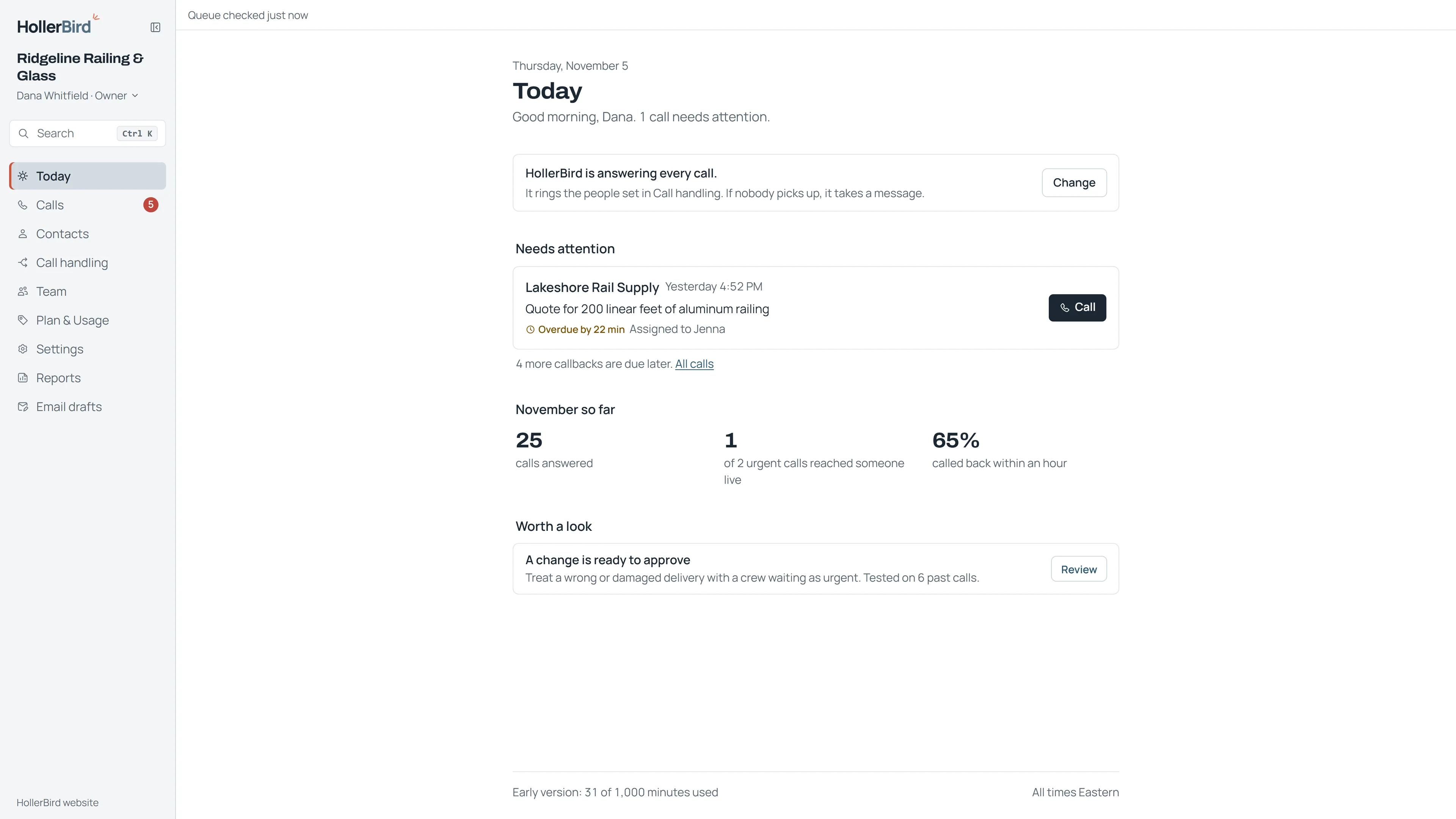
Your day, on one screen.
Today opens on what needs you: late callbacks, how the month is going, and anything waiting for your approval.
1 of 26
Swipe to look around. You can also use the arrow keys.
Real product screens. Fictional business and illustrative figures.

Your business, your rules.
Set up the greeting, answers and people around the way your business works.
- The right people for each call
- Choose who gets called for new work, orders or an urgent problem, and who to try next.
- Your hours and urgent situations
- Set opening hours and closed days, with a different plan for after hours. Decide what needs urgent attention.
- Answers from your business information
- Give HollerBird the everyday answers it can use. Your team handles quotes, bookings and live order questions.
Questions about setup, pricing, software or languages? The FAQ covers them.
Read the FAQ